
The Hidden Trap of Excel Column Widths
The issue began when a colleague was using NPOI to export Excel files and couldn't match the column widths provided in a client's template. They suggested placing the template file on the server, having the program read it, and replacing the values to produce an Excel file that matched the client's template more closely. I rejected this. After all, while it might be acceptable for complex Word documents or Excel files containing charts, it is unnecessary for a simple table and introduces potential risks. For example, the program would become overly dependent on the Excel template file, or files could become locked when someone downloads them, preventing others from using them simultaneously. Furthermore, this approach is inconsistent with our existing practices.
Later, I saw them writing code similar to this:
// Affects column width
IFont font = workbook.GetFontAt(0);
font.FontName = "PMingLiU";
font.FontHeightInPoints = 12;I didn't look closely at first, thinking that Excel fonts and column widths were unrelated. I questioned them again. Then, they tested it in front of me and discovered that with the same column width value, the width produced by NPOI was indeed inconsistent with the client's template. After some research, I found that while I knew Excel calculates column width by dividing the width of a certain font by 256, what I didn't know was that this font is the default font set in Excel.
In other words, the font set for a specific cell is irrelevant to the column width, but the Excel default font does have an impact.
Excel Default Font
Taking Excel 2019 as an example, you can see the following settings under "File => Options => General":
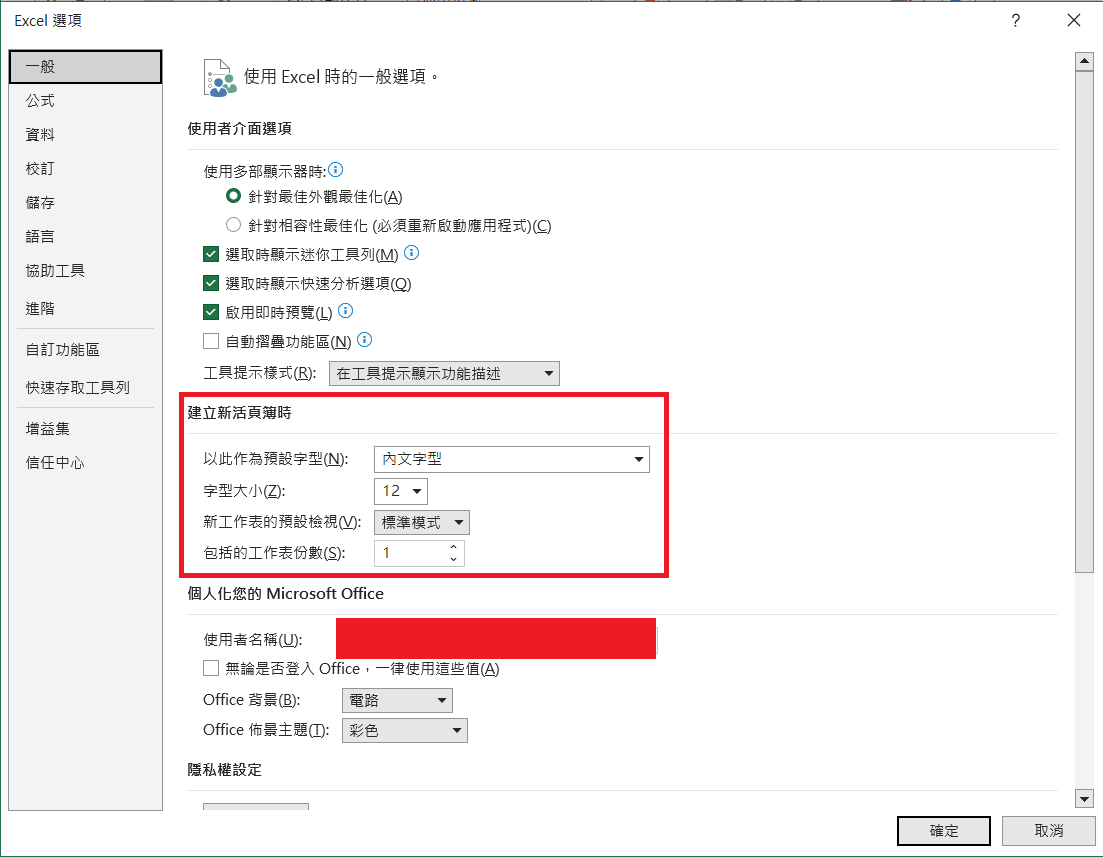
The default font may vary across different versions of Office Excel. Since I don't have older versions of Office on hand, I couldn't test them. Although I asked ChatGPT, and it replied that the default font is consistent, anyone who uses ChatGPT frequently knows it often makes things up.
TIP
The default font for NPOI 2.7.1 is Calibri, with a font size of 11.
If you change the font size to 20:
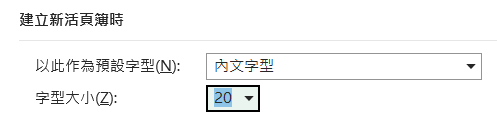
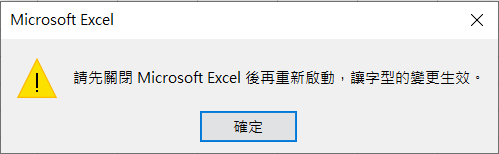
The following warning appears, requiring you to close Excel for the changes to take effect:
WARNING
After changing the default font size, you must close all Excel documents and create a new Excel document for the new settings to apply.
With the same column width value of 8.04, the column width with a font size of 20 is significantly wider than the one with a font size of 12.
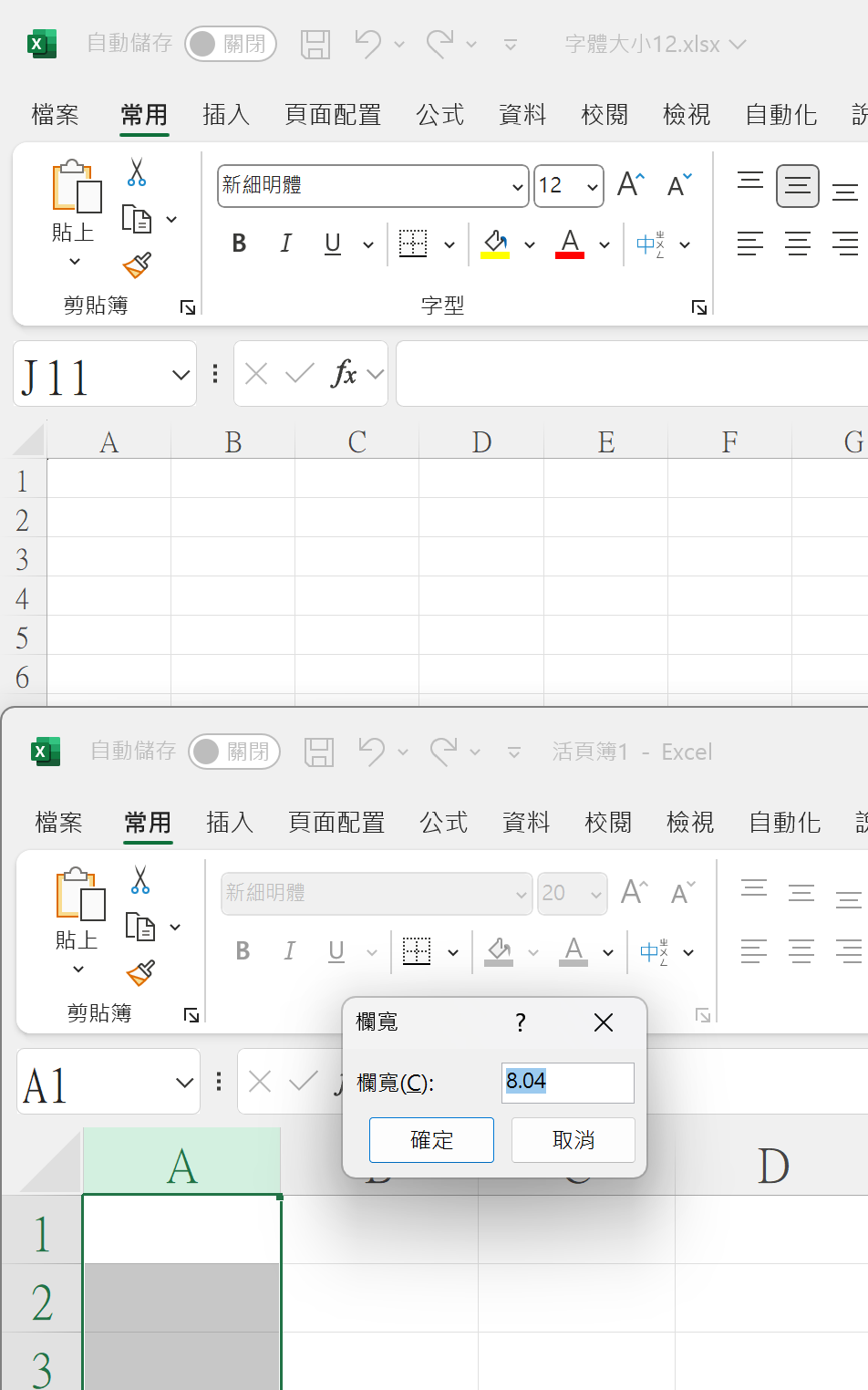
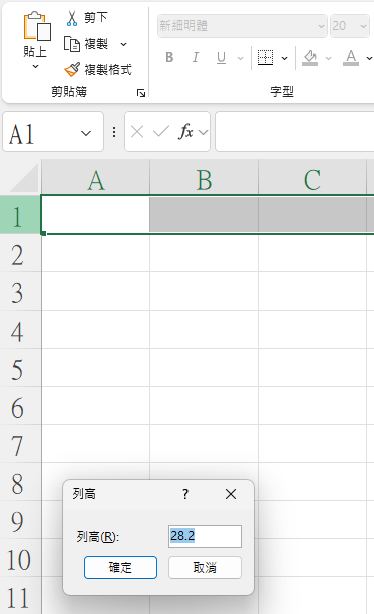
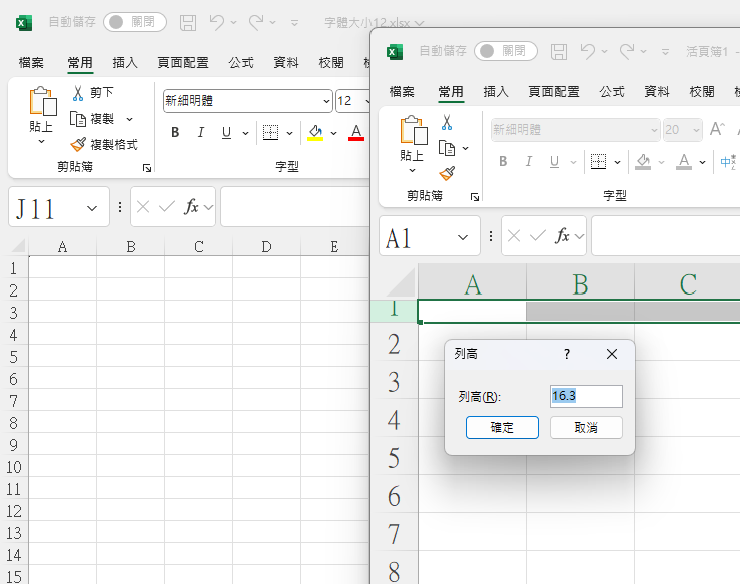
However, row height follows a different rule. As shown in the image below, the row height increases directly to 28.2 as the font size changes.
If you adjust the row height to the same 16.2, the display effect will be consistent.
Setting the Default Font Using NPOI
The code example is as follows:
using IWorkbook workbook = new XSSFWorkbook();
IFont defaultFont = workbook.GetFontAt(0);
Console.WriteLine($"Default font name: {defaultFont.FontName}");
Console.WriteLine($"Default font size: {defaultFont.FontHeightInPoints}");
defaultFont.FontName = "Microsoft JhengHei";
defaultFont.FontHeightInPoints = 20;

Console.WriteLine($"Default font name: {defaultFont.FontName}");
Console.WriteLine($"Default font size: {defaultFont.FontHeightInPoints}");

workbook.CreateSheet()
    .CreateRow(0)
    .CreateCell(0)
    .SetCellValue("Test");

using FileStream fileStream = new("Test.xlsx", FileMode.Create, FileAccess.Write);
workbook.Write(fileStream);Console output:
Default font name: Calibri
Default font size: 11
Default font name: Microsoft JhengHei
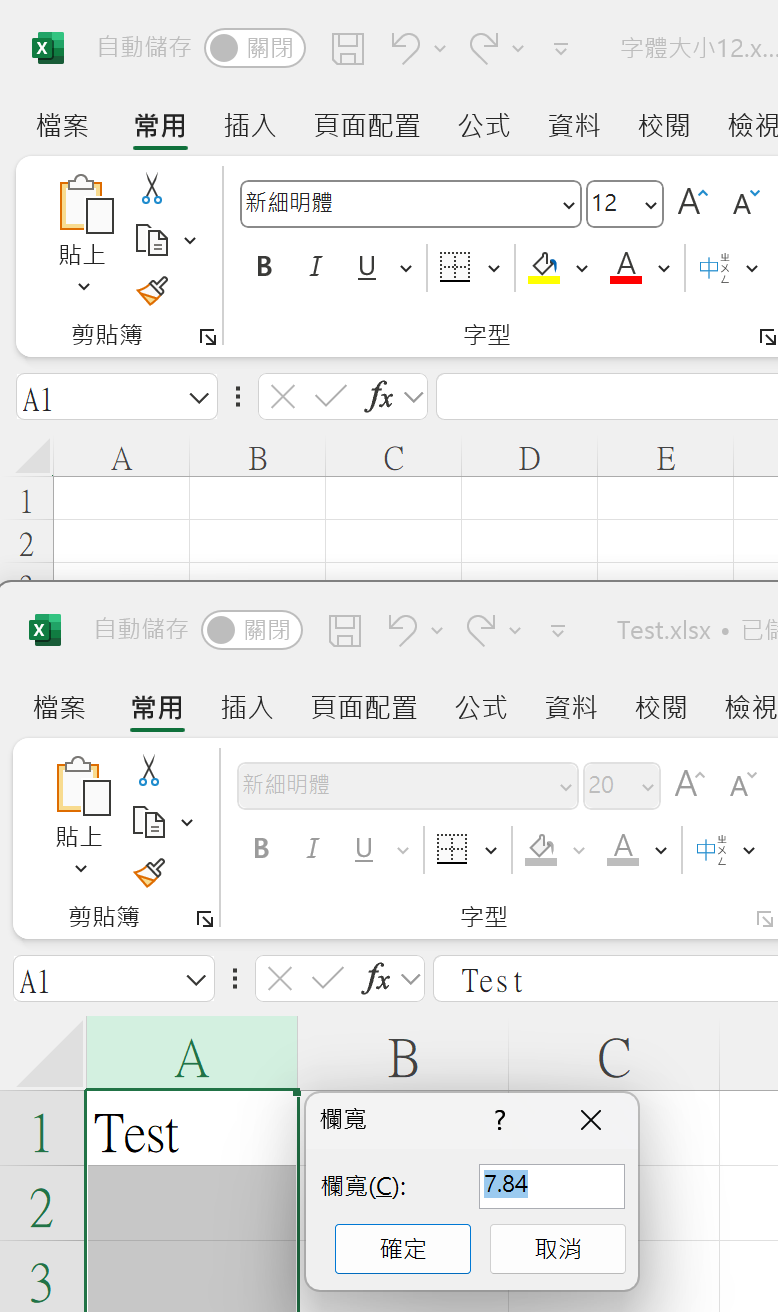
Default font size: 20The generated Excel column width value is 7.84, but the column is wider than the original 8.04 width, and while the font size changed to 20, the font itself was not applied.
Setting the Default Font Using EPPlus
The code example is as follows:
ExcelPackage.LicenseContext = LicenseContext.NonCommercial;
using ExcelPackage package = new();
ExcelFontXml defaultFont = package.Workbook.Styles.Fonts[0];
Console.WriteLine($"Default font name: {defaultFont.Name}");
Console.WriteLine($"Default font size: {defaultFont.Size}");
defaultFont.Name = "Microsoft JhengHei";
defaultFont.Size = 20;
Console.WriteLine($"Default font name: {defaultFont.Name}");
Console.WriteLine($"Default font size: {defaultFont.Size}");
ExcelWorksheet sheet = package.Workbook.Worksheets
    .Add("Sheet1");
sheet.Cells[1,1,1,1].Value = "Test";

using FileStream fileStream = new("Test.xlsx", FileMode.Create, FileAccess.Write);
package.SaveAs(fileStream);Console output:
Default font name: Calibri
Default font size: 11
Default font name: Microsoft JhengHei
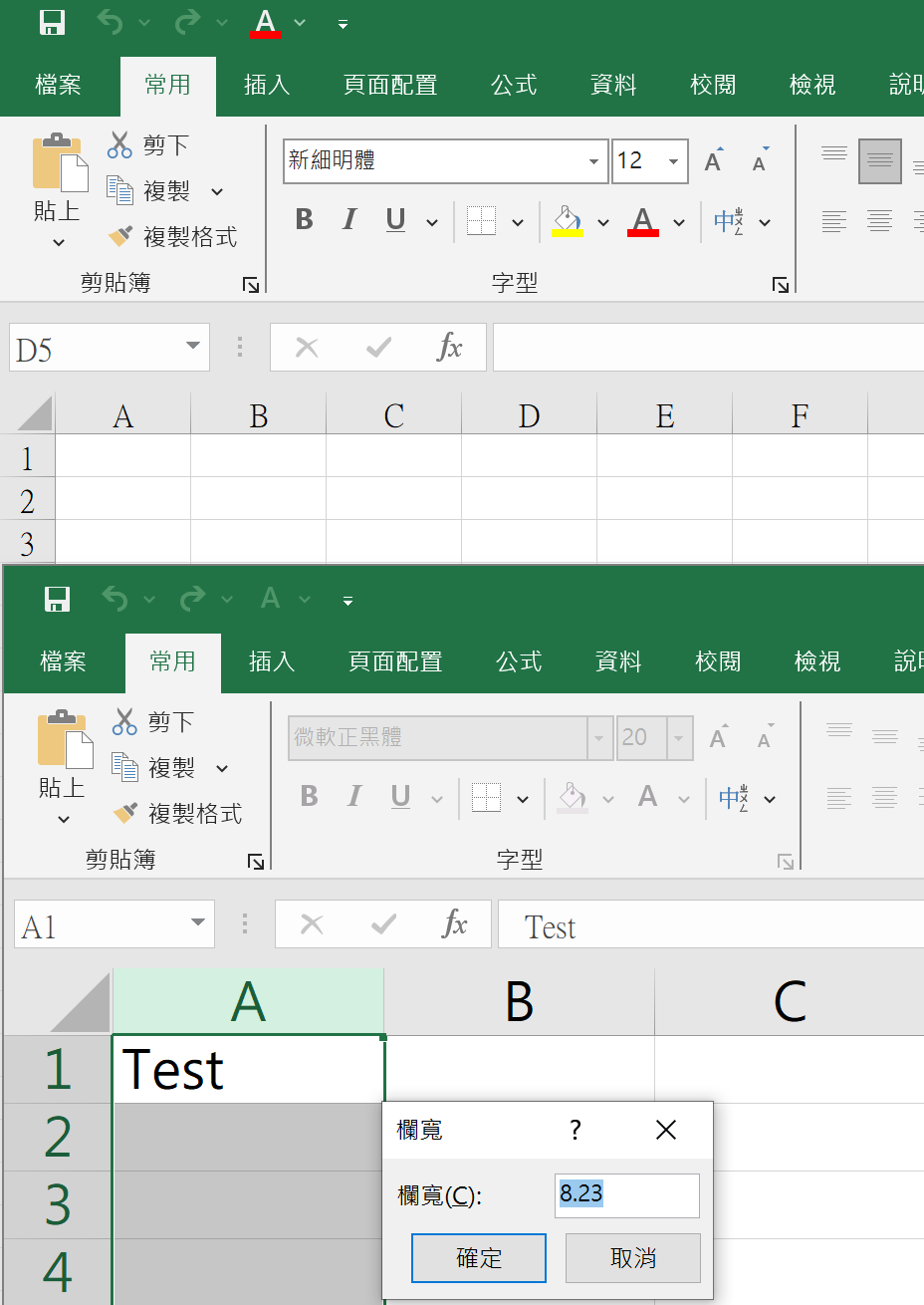
Default font size: 20The generated column width value is 8.23, which is wider than twice the original 8.04 width; the font size changed to 20, and the font was successfully applied.
Change Log
- 2025-08-31 Initial version created.