
Automating .NET Library Versioning with MinVer
In the early days, I used Visual Studio's Automatic Versions feature to manage package version numbers.
Later, I switched to using GitVersion in conjunction with Git tags for version management. However, after GitVersion.MsBuild was upgraded to 6.0.0, the configuration mechanism changed, causing my original settings to fail. Although I tried various methods, I was never able to configure it correctly, and I also found that the version number behavior on feature branches was not as expected.
While looking for alternatives, I remembered seeing MinVer in other open-source packages, so I decided to switch to it for handling version numbers. MinVer is simpler and more intuitive to configure than GitVersion, relying primarily on Git tags for version control. For detailed instructions, please refer to its GitHub page.
MinVer Versioning Rules
Basic Operating Principle
The following content is sourced from MinVer GitHub:
- If the current commit has a version tag:
- The version will directly adopt that tag.
- If the current commit does not have a version tag:
- Search the commit history to find the most recent commit with a version tag.
- If a commit with a version tag is found:
- If the version is a pre-release version:
- The version will be adopted directly, with the height (number of commits since the tag) appended.
- If the version is a release version (non-pre-release):
- The patch number is automatically incremented, though this can be customized.
- The default pre-release identifier is added. The default identifier is
alpha.0, but this can be customized. - For example, if the latest version tag is
1.0.0, the current version will be1.0.1-alpha.0. - The height is appended.
- If the version is a pre-release version:
- If no commit with a version tag is found:
- Use the default version
0.0.0-alpha.0and append the height.
- Use the default version
- If a commit with a version tag is found:
- Search the commit history to find the most recent commit with a version tag.
Property Value Mapping
| Property | Value |
|---|---|
| AssemblyVersion | {MinVerMajor}.0.0.0 |
| FileVersion | {MinVerMajor}.{MinVerMinor}.{MinVerPatch}.0 |
| InformationalVersion | {MinVerVersion} |
| PackageVersion | {MinVerMajor}.{MinVerMinor}.{MinVerPatch} or {MinVerMajor}.{MinVerMinor}.{MinVerPatch}-{MinVerPreRelease} |
| Version | {MinVerMajor}.{MinVerMinor}.{MinVerPatch} or {MinVerMajor}.{MinVerMinor}.{MinVerPatch}-{MinVerPreRelease} |
Common Configuration Examples (Set in .csproj)
Setting a version tag prefix (suitable for teams accustomed to adding a 'v' prefix to tags, e.g., v1.0.0):
<PropertyGroup>
  <MinVerTagPrefix>v</MinVerTagPrefix>
</PropertyGroup>Customizing the pre-release identifier (suitable for projects that want to use 'preview' instead of the default 'alpha' as the pre-release identifier):
<PropertyGroup>
  <MinVerDefaultPreReleaseIdentifiers>preview.0</MinVerDefaultPreReleaseIdentifiers>
</PropertyGroup>Implementation Examples
Basic Setup and Untagged Scenario
First, create a class library and install the MinVer package from NuGet. If no version tag has been set yet, MinVer will use the default version:
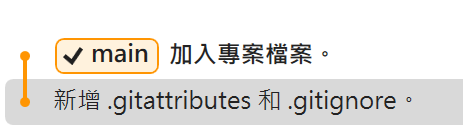
The generated DLL information is as follows:
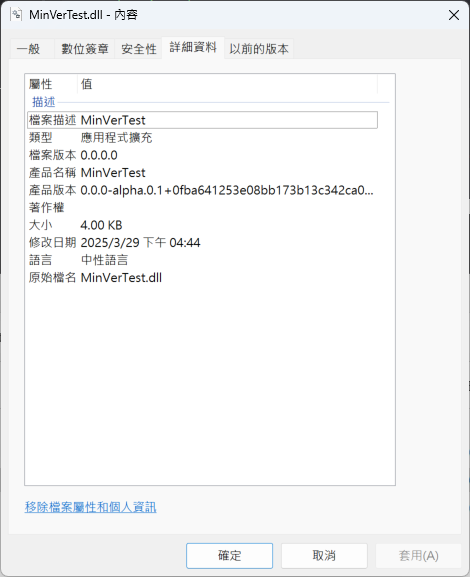
The file generated by the package command is: MinVerTest.0.0.0-alpha.0.1.nupkg
Adding a Release Version Tag to a Previous Commit
If a release tag 0.1.0 is added to a previous commit:
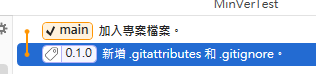
The generated DLL information is as follows (note that the patch version is automatically incremented):
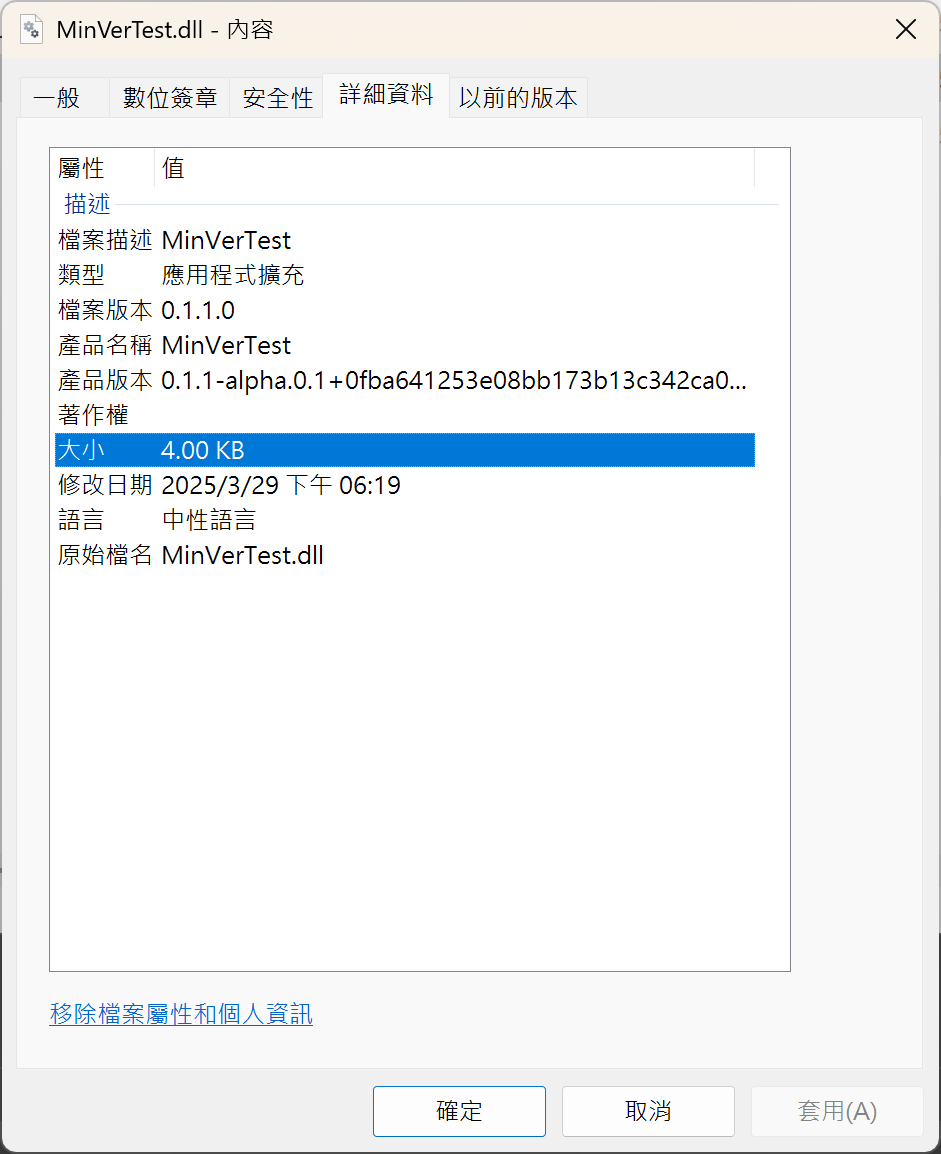 The file generated by the package command is:
 MinVerTest.0.1.1-alpha.0.1.nupkg
Adding a Pre-release Version Tag to a Previous Commit
If a non-release tag 0.0.1-alpha.0 is added to a previous commit:

The generated DLL information is as follows:
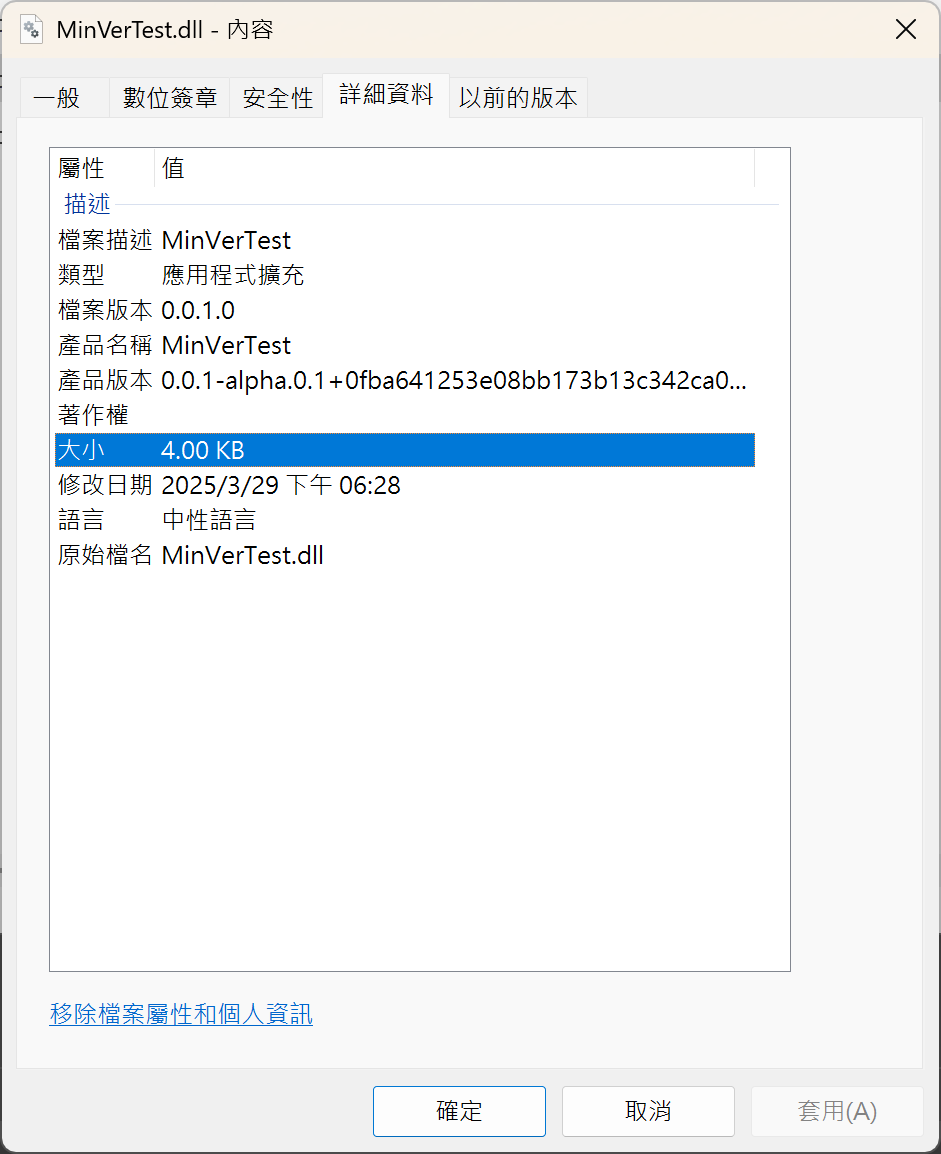
The file generated by the package command is: MinVerTest.0.0.1-alpha.0.1.nupkg
TIP
Avoid using tag formats like 0.0.1-alpha.0.0, otherwise the next one will become 0.0.1-alpha.0.0.1, causing confusion in version numbers.
Adding a Release Version Tag to the Latest Commit
If a release tag 0.1.2 is added to the latest commit:

The generated DLL information is as follows (directly adopts the tagged version):
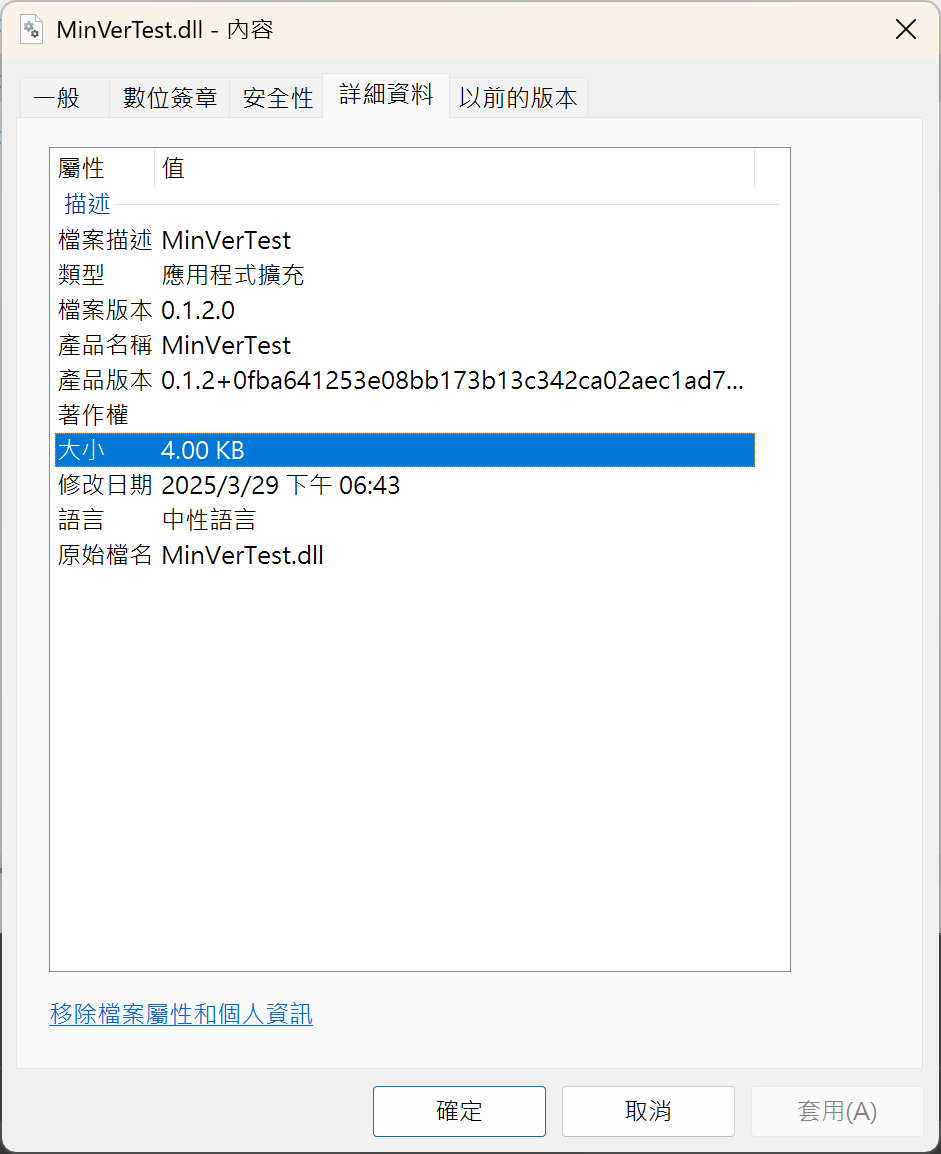
The file generated by the package command is: MinVerTest.0.1.2.nupkg
TIP
If installing MinVer in a project results in a git is not present in PATH. error, it means Git is not set in the environment variable path. You need to ensure that Git can be executed from the command line.
Change Log
- 2025-03-29 Initial document creation.