
A Simple Test of Using WhisperDesktop for Speech-to-Text
TLDR
- WhisperDesktop is an offline speech-to-text tool based on OpenAI Whisper that runs without a Python environment.
- It is recommended to prioritize the
ggml-medium.binmodel to achieve the best balance between performance and accuracy. - For users with a dedicated graphics card, processing 5 minutes of audio with
ggml-medium.bintakes only about 11 seconds. - For users without a dedicated graphics card,
ggml-small.binis recommended as the baseline for daily use, asggml-tiny.binhas insufficient accuracy. - The developer has stopped updating WhisperDesktop; it is recommended to switch to Subtitle Edit with Faster-Whisper integration for better performance and maintenance support.
WARNING
The WhisperDesktop developer has not updated the project for a long time. It is currently recommended to switch to Subtitle Edit with Faster-Whisper integration, which is more actively maintained and faster. For details, please refer to: Using Subtitle Edit with Faster-Whisper for Local Speech-to-Text.
Download and Installation
WhisperDesktop is a lightweight offline tool that does not require a Python environment.
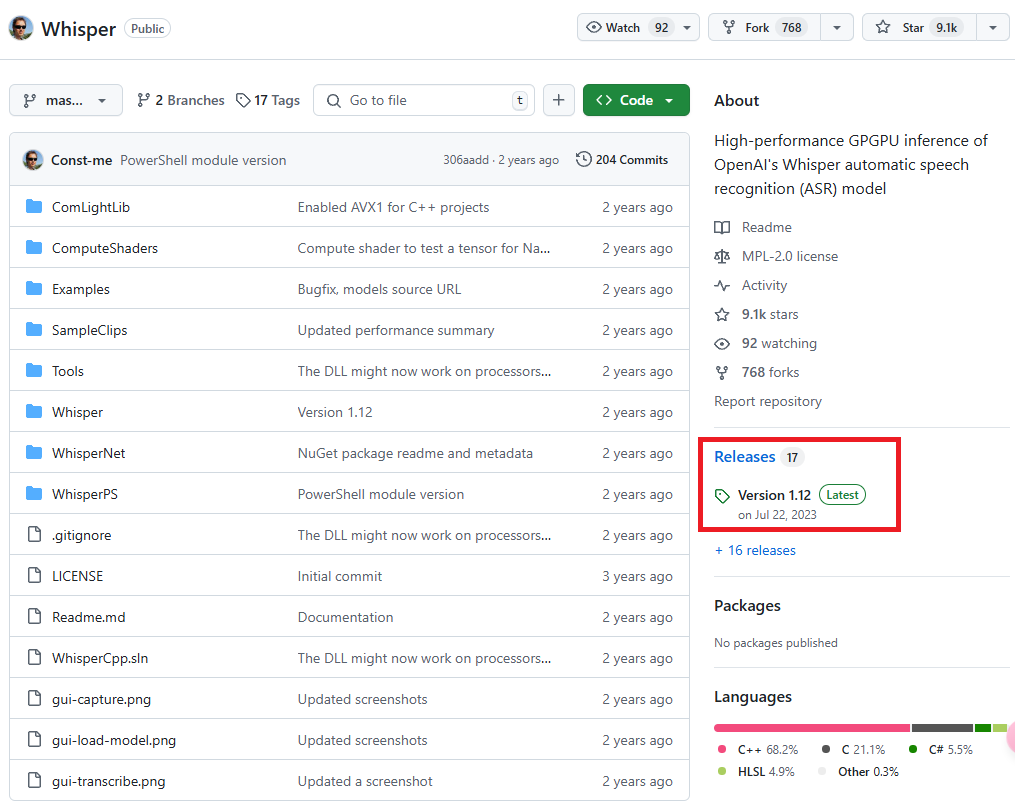
- Go to the WhisperDesktop GitHub Releases page to download the latest version.
- After unzipping, you will find
WhisperDesktop.exe(the executable) andWhisper.dll(the library).
Model Selection and Specifications
Models must be downloaded from Huggingface Whisper. The model size directly affects VRAM requirements and processing speed:
| Size | Parameter Count | Required VRAM | Relative Speed |
|---|---|---|---|
| tiny | 39 M | ~1 GB | ~32x |
| base | 74 M | ~1 GB | ~16x |
| small | 244 M | ~2 GB | ~6x |
| medium | 769 M | ~5 GB | ~2x |
| large | 1550 M | ~10 GB | 1x |
Usage
When might you encounter configuration issues: If the software cannot automatically detect your hardware, you need to adjust the parameters manually.
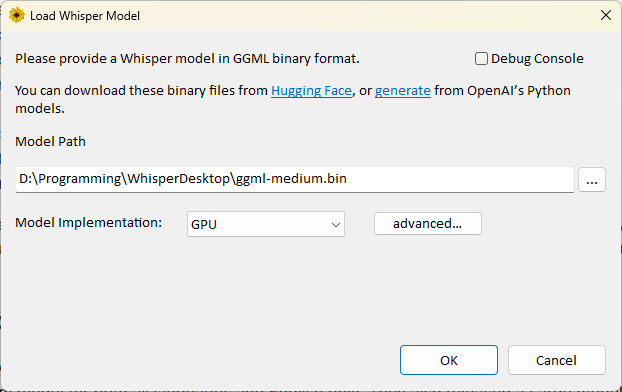
- Run
WhisperDesktop.exeand specify the model path. - Set Model Implementation to
GPU. If the graphics card cannot be detected, you can clickadvanced...to configure it manually. - Select the target language in Language.
- Output Format supports various formats such as
.txt,.srt, and.vtt. - Check
Place that file to the input folderto save the output file directly in the input file directory.
Performance Test Results
When might you encounter performance bottlenecks: Using an overly large model (such as large) on certain hardware may lead to processing failures or empty output.
- Dedicated Graphics Card (RTX 4070 Ti Super):
ggml-medium.bin: Processing 5 minutes and 16 seconds of audio takes only 11 seconds.ggml-large-v3.bin: Processing time takes up to 22 minutes, with a risk of conversion failure.
- Integrated Graphics (i7-12700H):
ggml-tiny.bin: 41 seconds.ggml-small.bin: 4 minutes and 19 seconds.ggml-medium.bin: 13 minutes and 5 seconds.
Conclusion and Recommendations
- Dedicated Graphics Card Users: It is recommended to use
ggml-medium.binconsistently, as it provides the most stable performance and accuracy. - Integrated Graphics or Older Graphics Card Users:
- For daily transcription,
ggml-small.binis recommended as the minimum threshold for accuracy. - If high-precision content is required, you can choose
ggml-medium.binand allow for a longer processing time.
- For daily transcription,
Changelog
- Initial document created.
- Added recommendation link to the new Faster-Whisper solution.